

Microsoft Intune continues to evolve, and with the introduction of Multi-Admin Approval, it’s clear that security and governance are front and center. This new feature adds a critical safeguard for high-impact actions, ensuring that no single admin can make sensitive changes without oversight.
Whether you’re managing device wipe requests, app deployments,… Multi-Admin Approval helps enforce accountability and reduce the risk of accidental or malicious actions.
🧭 What Is Multi-Admin Approval?
Multi-Admin Approval is a policy-based control mechanism that requires one admin to request approval for certain actions, and another to approve it. This dual-control model is especially useful in environments where sensitive operations need to be tightly governed.
Think of it as a built-in checks-and-balances system for your Intune tenant.
🛠️ How It Works
Once enabled, Multi-Admin Approval applies to specific workflows. Here’s a simplified breakdown:
- Request Phase: An admin initiates an action that’s governed by the approval policy.
- Approval Phase: A second admin (not the requester) reviews and approves the action.
- Execution Phase: The action is executed only after approval is granted.
This ensures that no single person can act unilaterally on critical tasks.
⚙️ How to Enable It
Setting up Multi-Admin Approval is straightforward:
- Go to the Microsoft Intune Admin Center.
- Navigate to Tenant Administration > Multi-Admin Approval.
- Click Create Policy.
- Define the scope of actions that require approval (e.g., remote wipe, app deployment).
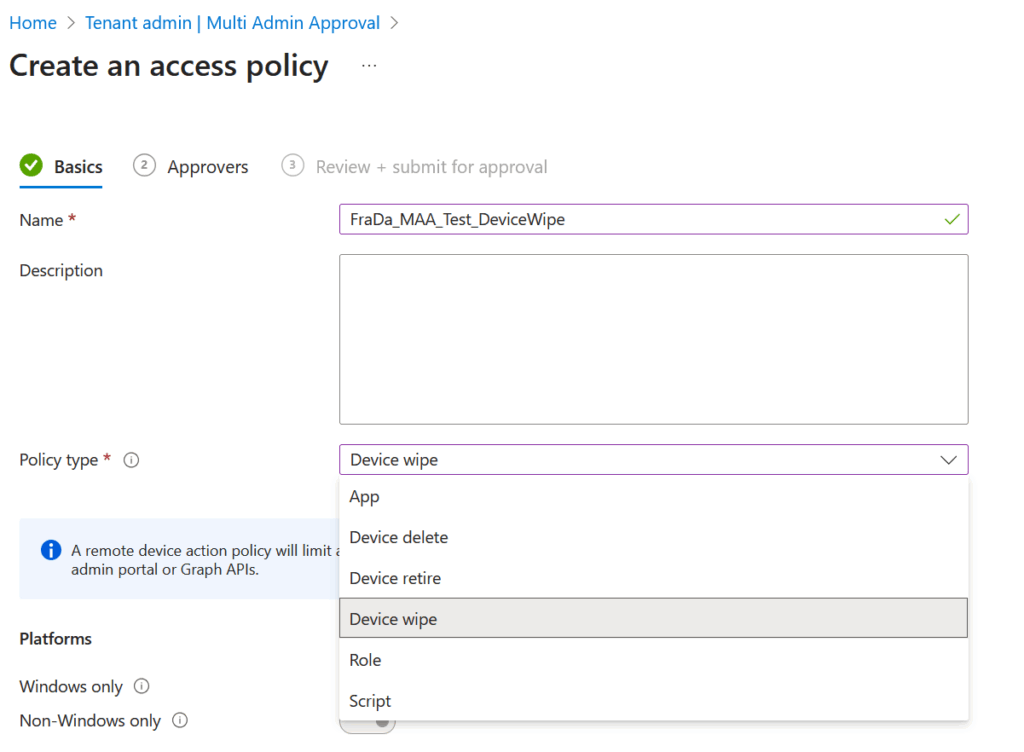
- Assign approvers
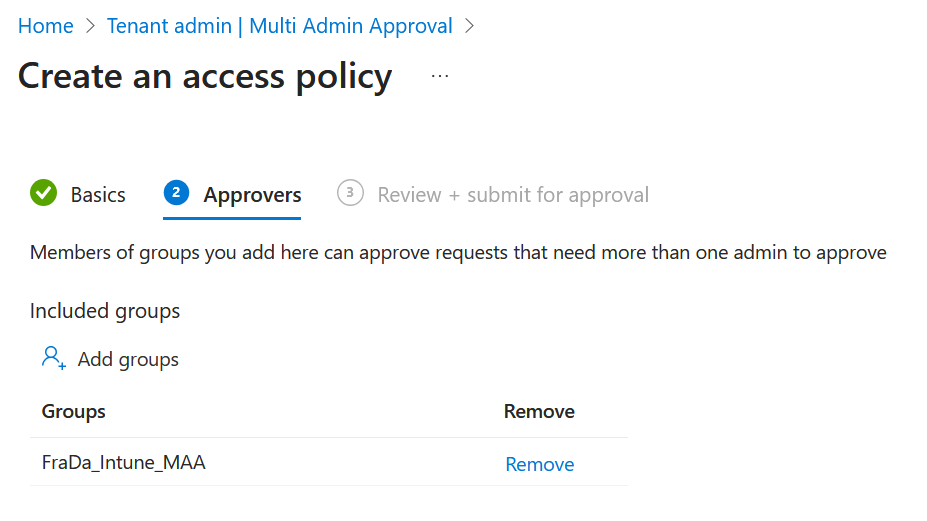
Save and activate the policy.
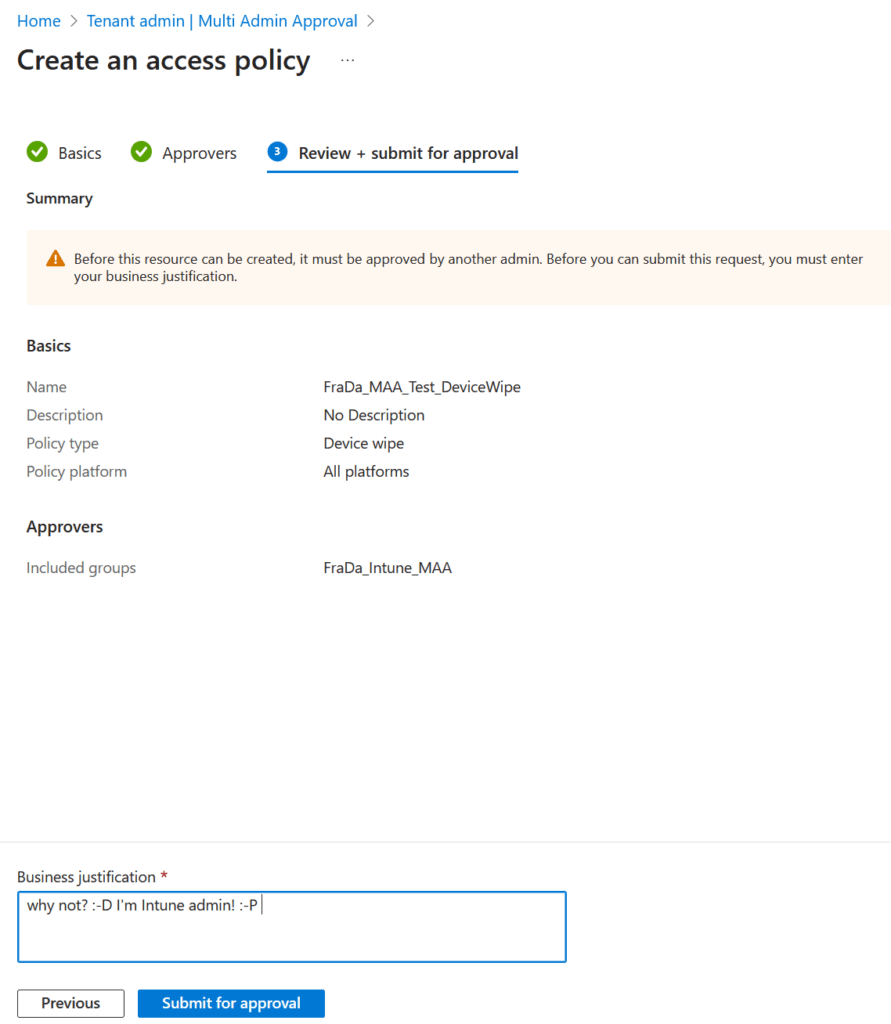
Before the policy is active, a second admin needs to approve it.
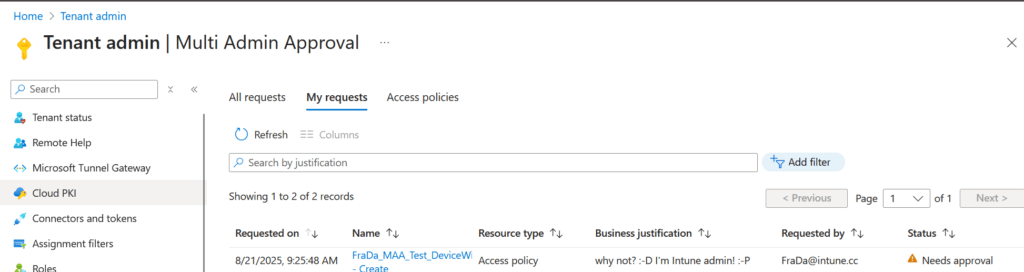
Once active, any action falling under the policy will trigger the approval workflow.
So if another Intune Admin wants to do an wipe, he has to enter an justification:
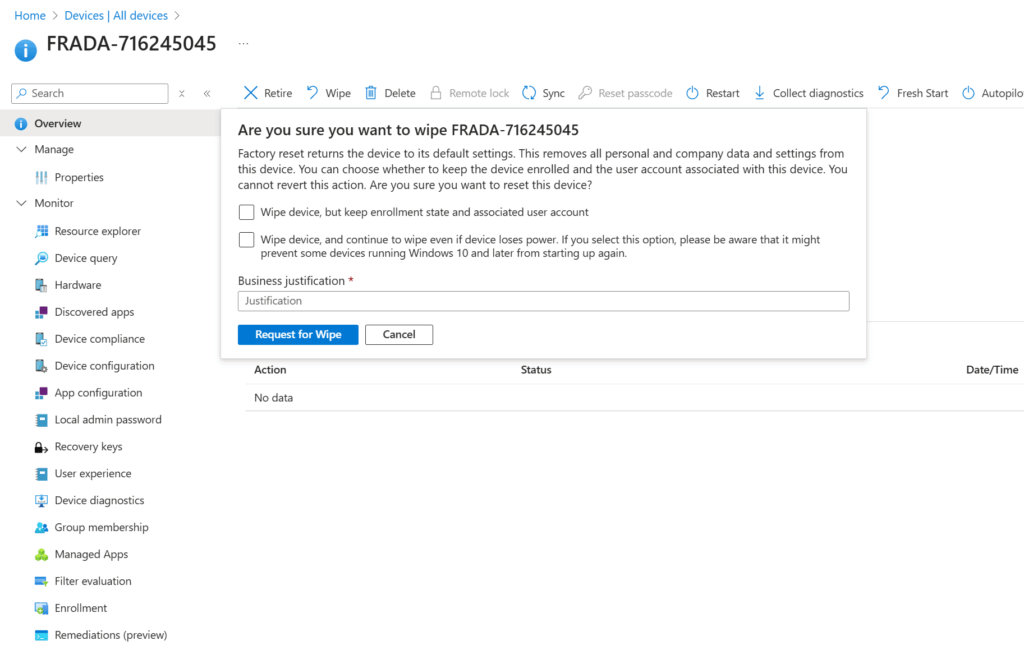
And after that, there is an open request for the wipe which needs to be approved:
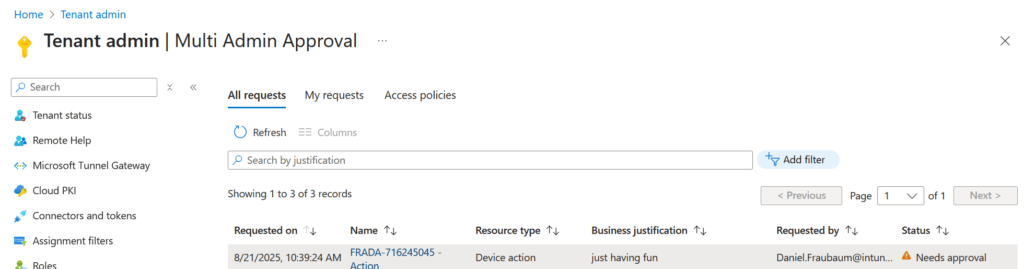
💡 A Subtle but Important Detail
When testing Intune’s Multi-Admin Approval (MAA) for device wipe actions, I noticed an interesting nuance: if you’re listed as an approver in the policy, you can still perform the wipe action directly without providing a justification. I think this behavior is by design and aligns with the principle that approvers inherently have elevated trust. However, it’s worth highlighting because it’s not clearly documented in most official guides. Keep this in mind when designing your approval workflows—especially if your goal is strict separation of duties.
🔔 Notifications
Intune does not send automatic email notifications when new approval requests are created.
💡 Best Practice:
Set up a custom notification workflow using an Azure Logic App. For example, you can trigger an email or Teams message whenever a new approval request is logged in Intune Audit logs. This ensures approvers are promptly informed and reduces delays in critical workflows.
📈 Why It Matters
In today’s hybrid work environments, security is paramount. Multi-Admin Approval:
- Reduces the risk of insider threats.
- Prevents accidental misconfigurations.
- Adds a layer of governance for compliance-heavy industries.
It’s a simple yet powerful way to ensure that your Intune environment remains secure and well-managed.
🧩 Final Thoughts
Multi-Admin Approval is a welcome addition to Intune’s growing suite of enterprise-grade features. It’s easy to set up, intuitive to use, and adds meaningful protection for your most sensitive operations.
If you’re managing a large tenant or working in a regulated industry, this feature is not just nice to have—it’s essential.
Leave a Reply