
-

Desktop Shortcuts via Intune Remediations
🎯 Scenario You want to deploy desktop shortcuts via Intune. One for a classic installed app (PuTTY), and another for a Microsoft Store app (Calculator). Both should be handled via remediation scripts — detection + remediation — and work silently in the background. 🧪 Variant 1: Installed Program (PuTTY) 🔍 Detection Script 🛠️ Remediation Script…
-

Windows Hello for Business: ESS & MFU – Smarter Security for Smarter Devices
🧠 Why ESS & MFU Matter 🔒 ESS isolates biometric data (fingerprint, facial recognition) at the hardware level. This protects against replay and extraction attacks—your face and fingerprint stay yours. 🧩 MFU enforces true two-factor authentication directly on the device. Think PIN + fingerprint or PIN + facial recognition. No cloud dependency, no shortcuts. Together,…
-

Timezone Control in AVD & Windows 365 via Intune
Managing timezones in cloud-based desktops might seem trivial, but it can make or break user experience — especially in distributed teams. Whether you’re running Azure Virtual Desktop (AVD) or Windows 365 Cloud PCs, Intune gives you full control over how time is handled. Let’s explore how to redirect the client timezone, when it’s already enabled…
-

Workplace Ninja Summit 2025 – My Key Takeaways from Baden
Last week, I had the chance to attend the Workplace Ninja Summit in Baden, Switzerland, together with three colleagues. In short: it was an incredibly valuable experience. The sessions from Microsoft and community experts made one thing crystal clear:☁ Cloud-native first is no longer a future vision – it’s the new standard. ✅ What does that mean in practice?…
-
In-Place Upgrade to Windows 11 24H2 Multisession in AVD
Microsoft’s Windows 11 24H2 multisession image has been around since late 2024, quietly available in the Azure Marketplace. While it’s not a revolutionary release, it does bring stability and long-term support to Azure Virtual Desktop (AVD) environments. For admins and consultants, the real value lies in the ability to perform an in-place upgrade—keeping existing session hosts…
-
Entra ID MFA Methods Reporting with PowerShell – Simplified & Customizable
🔐 Multi-Factor Authentication (MFA) is a cornerstone of modern identity security. But how do you keep track of which users are registered, which methods they use, and whether they’re truly protected? If you’ve ever wished for a simple way to generate a detailed report of MFA methods across your tenant—or even scoped to a specific group—this PowerShell…
-
Windows Backup & Restore via Intune & Autopilot
Finally, a native way to keep user data safe across device lifecycles Microsoft has quietly introduced a long-awaited feature that’s bound to make both IT admins and end users breathe a little easier: Windows Backup integrated with Intune and Autopilot. This isn’t just about file recovery—it’s about preserving the user experience across device transitions, migrations, and even hardware failures. Let’s break down…
-
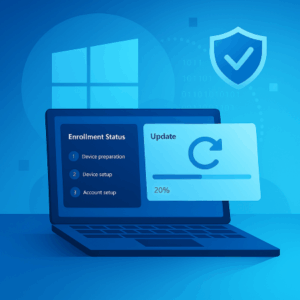
Windows Autopilot ESP Gets Smarter: Update Functionality Arrives
Microsoft has quietly dropped a powerful enhancement to the Enrollment Status Page (ESP) in Windows Autopilot — and it’s one that IT admins have been waiting for. The new Update feature allows devices to install pending Windows updates during ESP, ensuring that endpoints are secure and compliant right from the start. Let’s unpack what this means, why it matters, and how…
-

Edge’s New Typosquatting Protection: A Quiet Revolution in Browser Safety
If you’ve ever mistyped a website address and ended up somewhere sketchy, you’re not alone. Typosquatting—where malicious actors register domains that look almost like legitimate ones—is a subtle but dangerous threat. Thankfully, Microsoft Edge is stepping up with a new feature that quietly but effectively protects users from these traps. 🔍 What Is Typosquatting? Typosquatting…
-
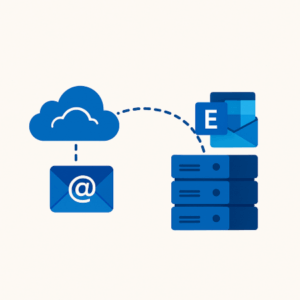
Cloud-Managed Remote Mailboxes: Flip the Switch and Retire Your Last Exchange Server
For years, organizations have kept one lonely Exchange Server alive—just to manage mailboxes for synced users. But now, Microsoft has delivered the switch we’ve all been waiting for: Cloud-Managed Remote Mailboxes. This new capability lets you manage mailbox properties for synced users directly in Exchange Online. No more bouncing between on-prem and cloud consoles. No more…